Unlit
A macOS menu bar utility that turns off the MacBook's internal display while the lid stays open. Ideal if you work only on an external monitor but still want the MacBook's built-in keyboard, trackpad, Touch ID, webcam and speakers.
7.0 MB zip · icon, screenshot, before/after images, banner, 2 demo videos, 2 demo GIFs
Fast facts
- Version
- 1.4, released 6 October 2026
- Requires
- macOS 14 Sonoma or later
- Price
- $7.99, one-time purchase, no subscription.
- Trial
- 14 days, full features, no email and no account required
- Distribution
- Direct download, sold through Paddle. Signed and notarized, updates through Sparkle.
- Privacy
- No usage tracking or analytics. Unlit only connects to the internet to check for updates and to activate the license.
- Controls
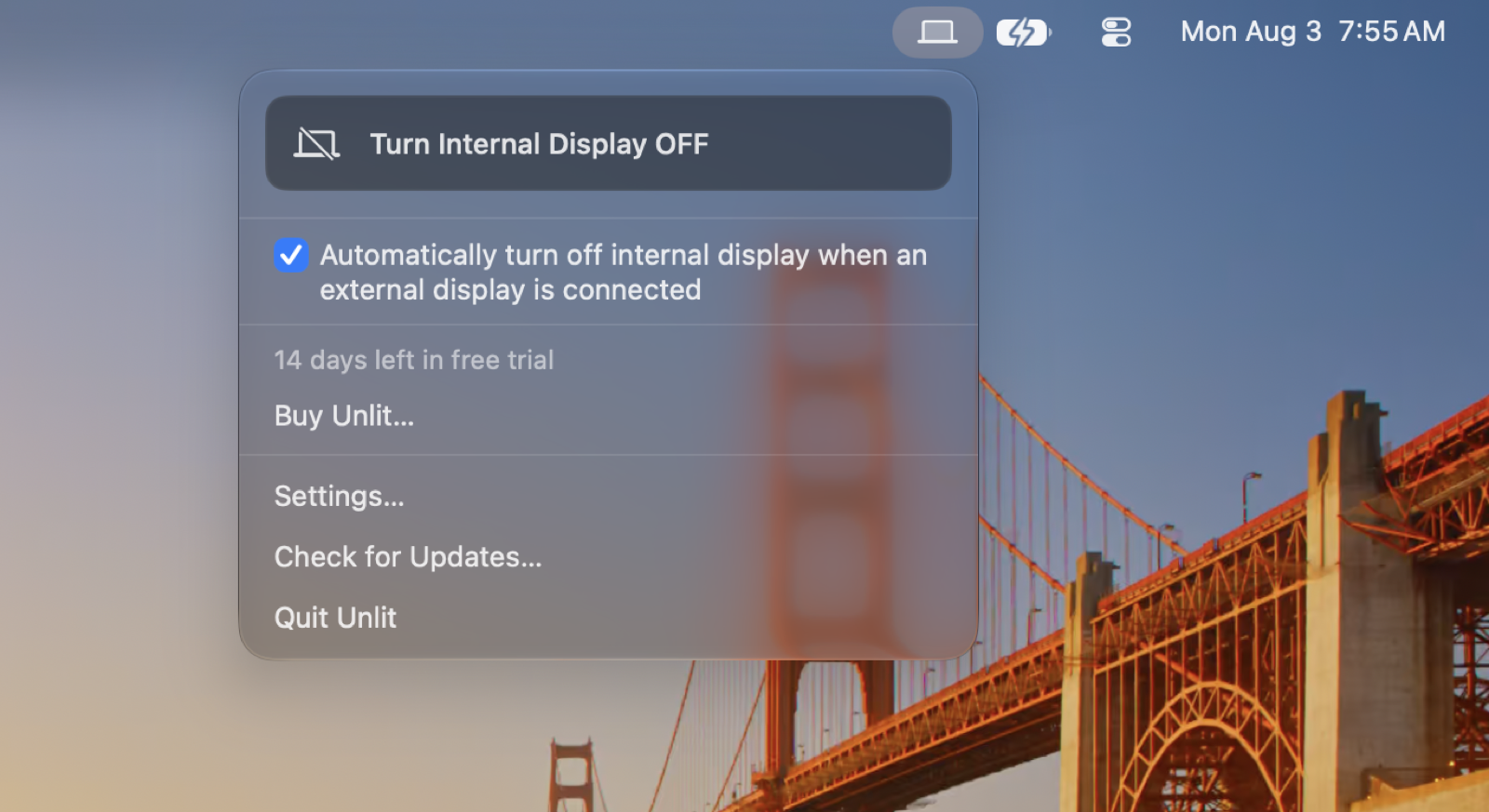
- Three ways to toggle the internal display: the menu bar, Shift-Option-D (changeable in Settings), or automatically whenever an external monitor is connected.
- Safeguards
- Unplug the external monitor, switch it off or undock while the internal display is dark and Unlit brings it straight back. It also comes back when you quit Unlit, log out or restart, and neither mode starts unless an external monitor is connected. Hardware Disconnect uses a private macOS API. If a future macOS update removes it or the call fails, Unlit falls back to Standard Dim.
- Limits
- Neither mode frees up a display output, so a MacBook can't run one more external monitor than it normally could. On Apple silicon, Hardware Disconnect can occasionally need a reboot to recover.
- Alternatives
- BetterDisplay and Lunar both do this as part of a paid Pro tier, alongside many other things. Unlit is built for this one job.
- Links
- Product page Demo on YouTube
Key Features
- Turns off only the internal display. The external monitor keeps working, unlike Control-Shift-Power, which sleeps every display on older MacBooks and doesn't work on ones with Touch ID.
- The lid stays open, so Touch ID, the keyboard, the trackpad, the speakers and the webcam stay working.
- Two modes: Standard Dim (default, standard macOS features) and Hardware Disconnect (opt-in, powers the panel off completely).
- Re-applies automatically after sleep, wake or display changes.
Icon
Screenshots
Demo Videos
AutoShot
A macOS menu bar utility that takes a screenshot of every connected display on a timer, sorts them into a folder per day, and exports any day as a timelapse video. Ideal for designers and artists making process timelapses, freelancers keeping a visual work log, and anyone who wants a way back to something they saw on screen.
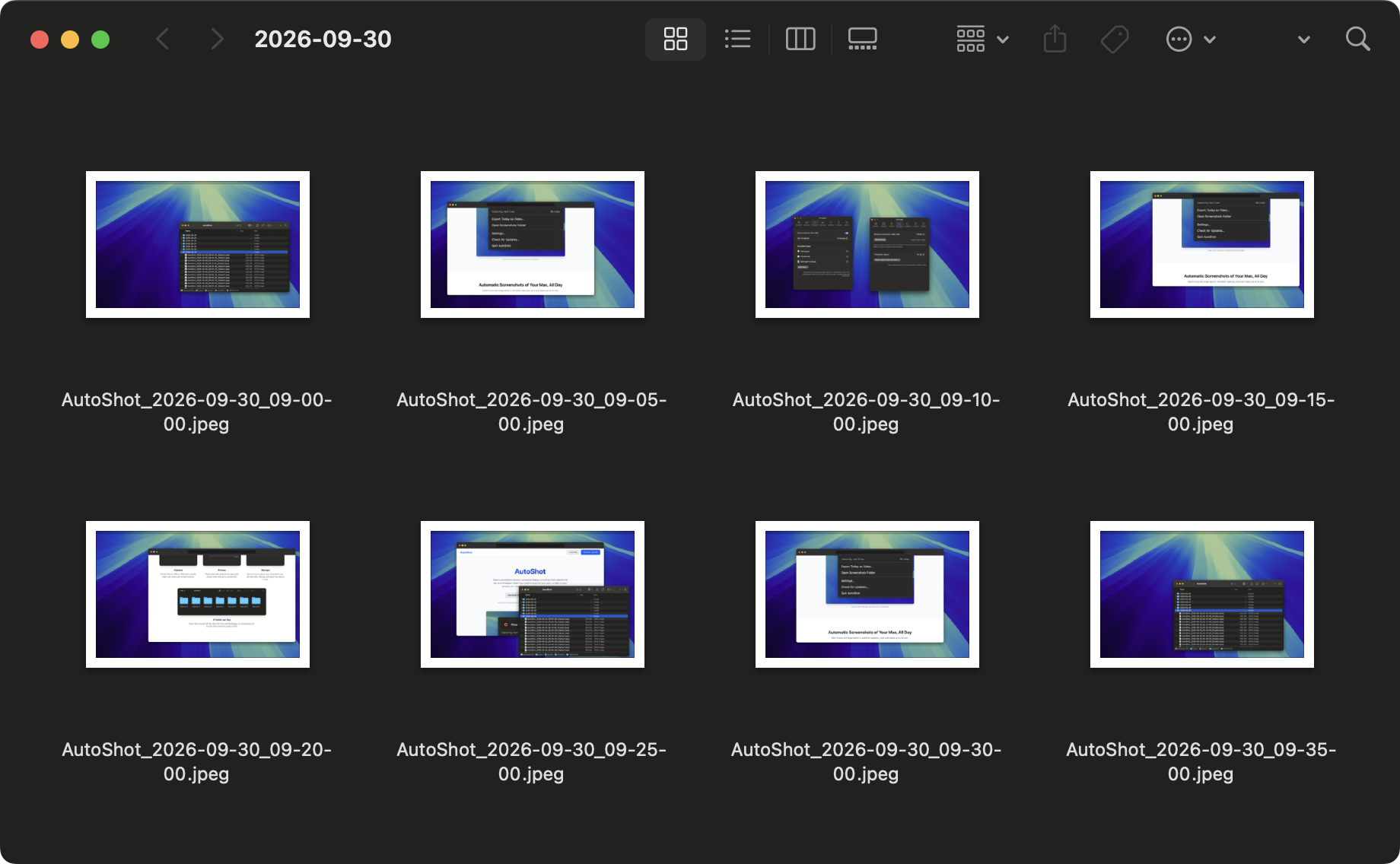
2.3 MB zip · icon, hero image, animation (WebP and GIF), 6 screenshots
Fast facts
- Version
- 1.4, released 13 October 2026
- Requires
- macOS 14 Sonoma or later
- Price
- $12.99, one-time purchase, no subscription. Launch price $9.99, going back up to $12.99 on 25 October 2026.
- Trial
- 14 days, full features, no email and no account required
- Distribution
- Direct download, sold through Paddle. Signed and notarized, updates through Sparkle.
- Privacy
- No usage tracking or analytics, and screenshots and the text recognized in them never leave the Mac. AutoShot only connects to the internet to check for updates and to activate the license.
- Capture
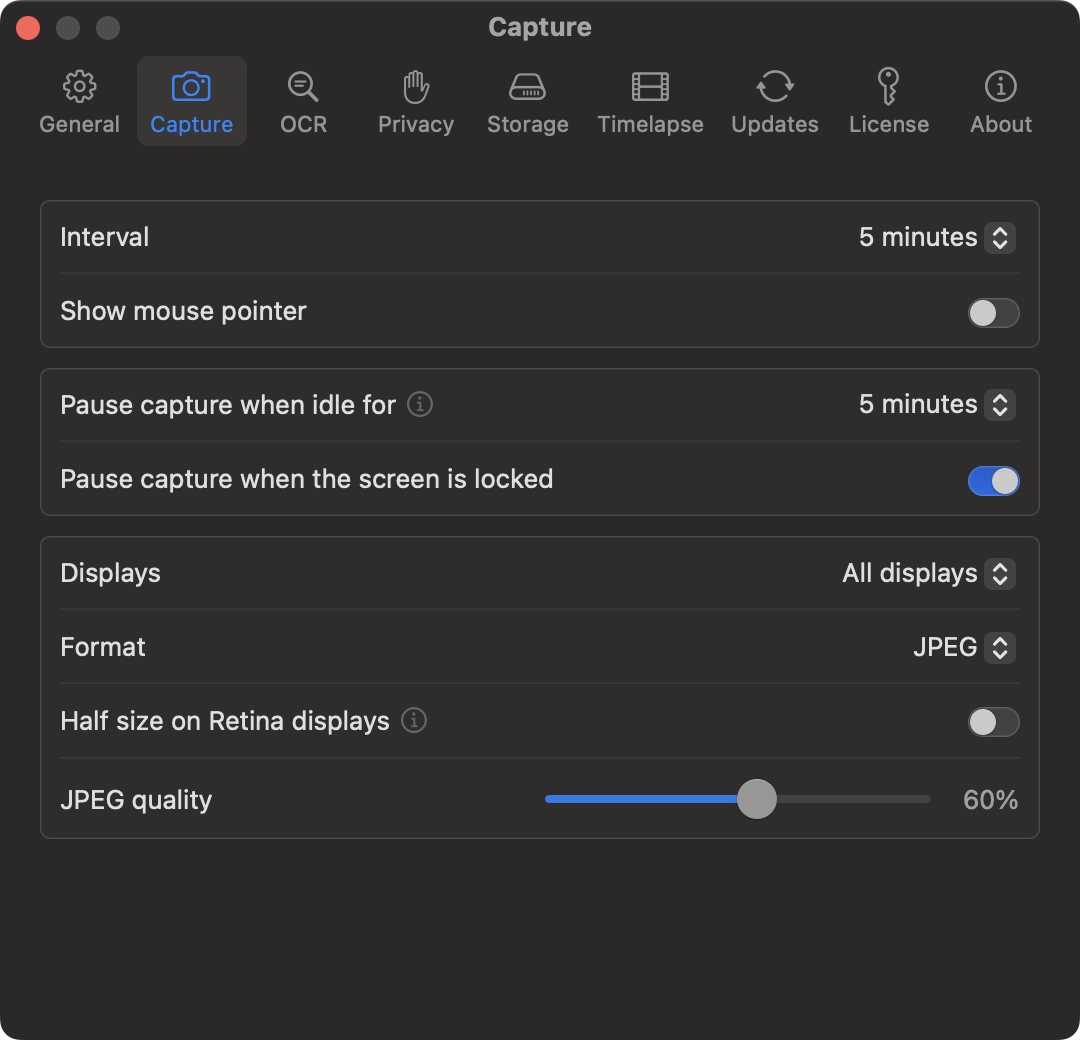
- Every connected display, each into its own file, or one chosen display, every 1, 5, 10 or 30 minutes, or a custom interval from 5 seconds up. PNG, or JPEG or HEIC with a quality slider, optionally at half size on Retina displays.
- Search
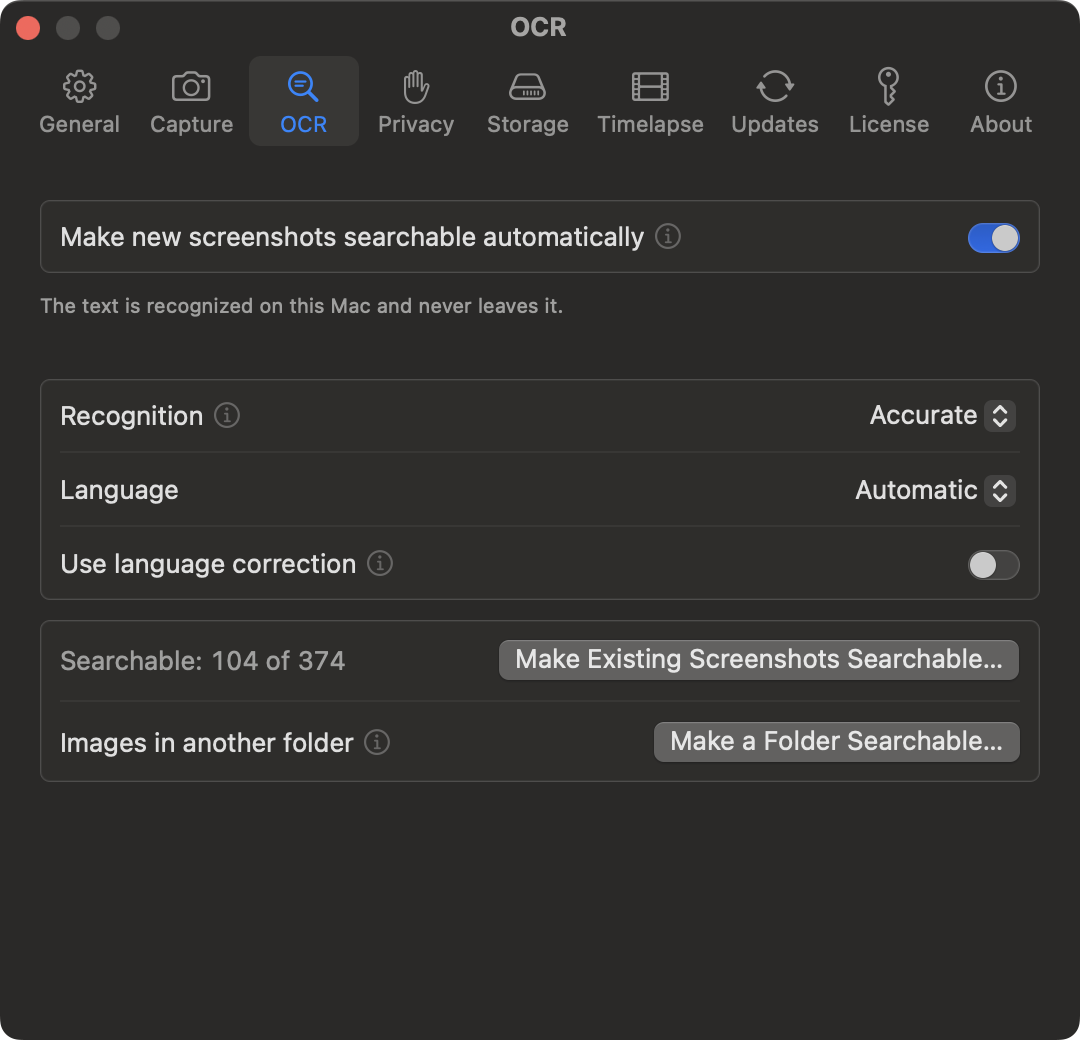
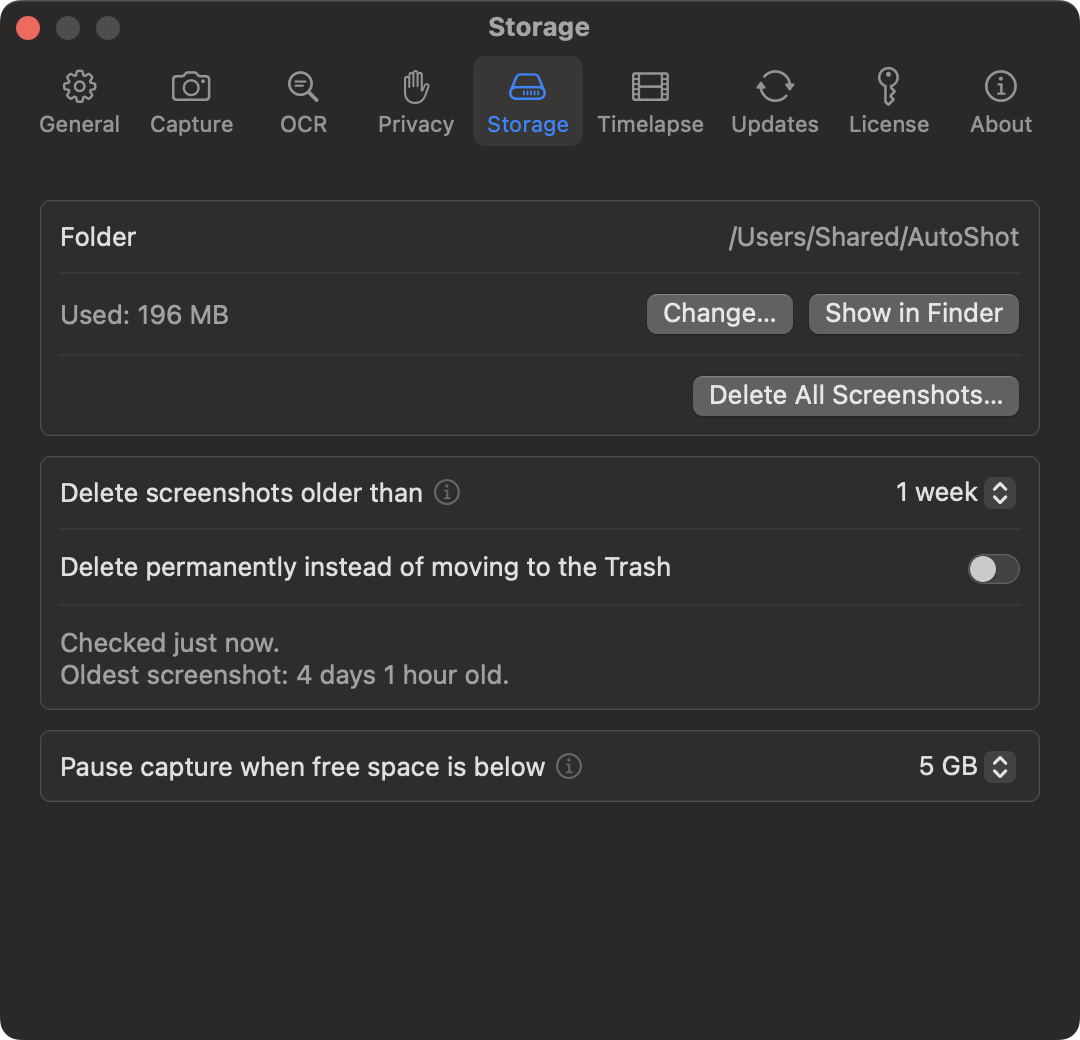
- Optional text recognition with Apple’s Vision framework, on the Mac. The text is saved with each screenshot, so Finder and Spotlight find screenshots by their text. Existing screenshots and any other folder can be made searchable too.
- Controls

- Start and stop from the menu bar or with Option-Shift-S (changeable in Settings). If it was capturing when the Mac restarted, it picks up again on its own.
- Safeguards
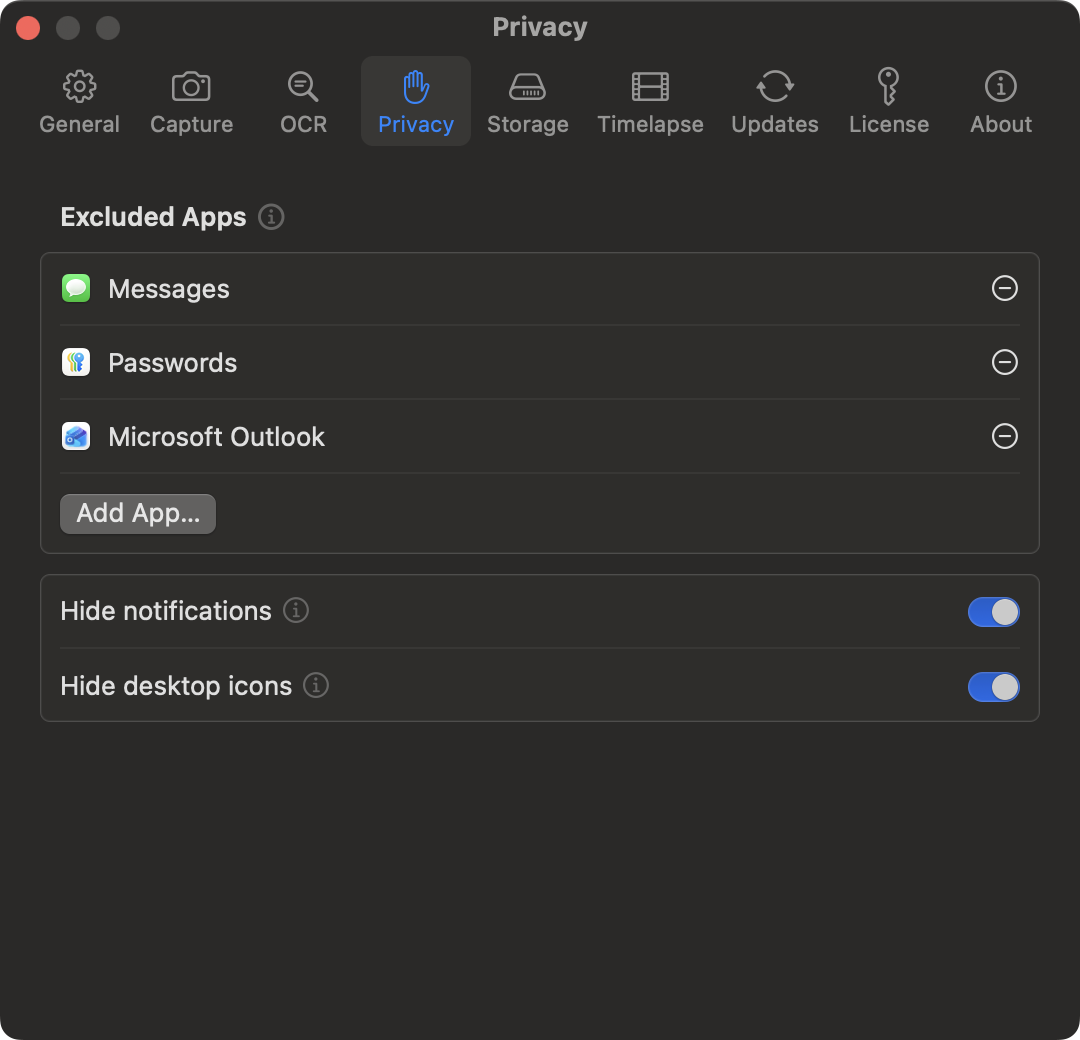
- Excluded apps, such as a password manager, never appear in a screenshot, and no capture is taken while one is in front. Notifications and desktop icons can be hidden. Automatic cleanup only touches AutoShot’s own screenshots, never other files, and moves them to the Trash unless you choose to delete permanently. Capture pauses when free space runs low.
- Limits
- Captures whole displays, not single windows. Timelapses export as MP4 only.
- Alternatives
- macOS’s own screencapture command can do this with a script. TimeSnapper, Lapse and Shotomatic each cover part of it. AutoShot puts multi-display capture, daily folders, text search, cleanup and timelapse export in one menu bar app.
Key Features
- Captures every connected display on a timer, each monitor into its own file, and keeps its number when another one is unplugged.
- Sorts screenshots into a folder per day, named with the date and time, and the display from the second one on.
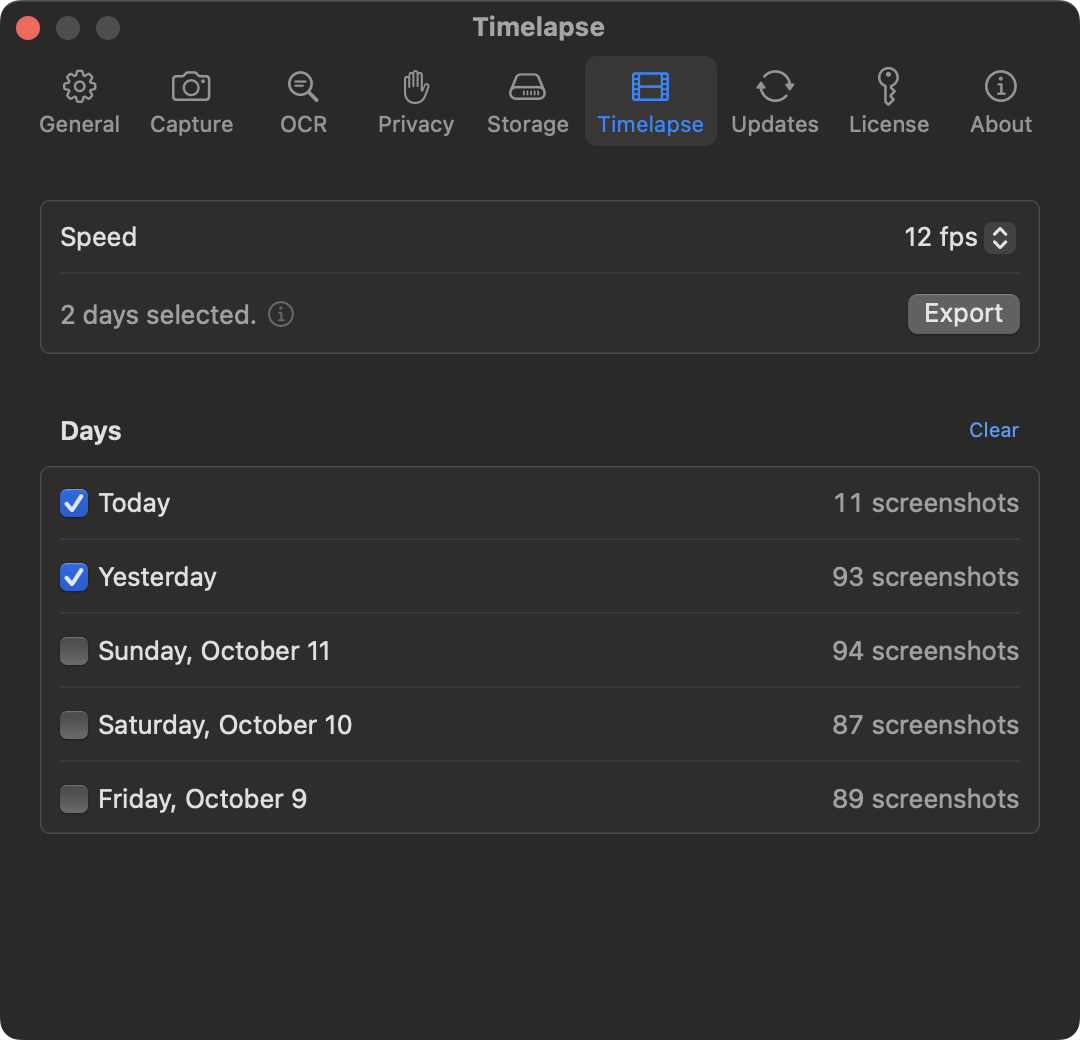
- Exports any day, or several days together, as an MP4 timelapse, one video per display, at 8 to 30 fps.
- Pauses when idle or while the screen is locked, handles sleep and wake, and cleans up old screenshots after 10 minutes to 1 month.
Icon
Screenshots
TextCount
A macOS menu bar app for quick word, character, and sentence counts, and other text analysis.
Icon

Screenshots
Demo Video
Key Features
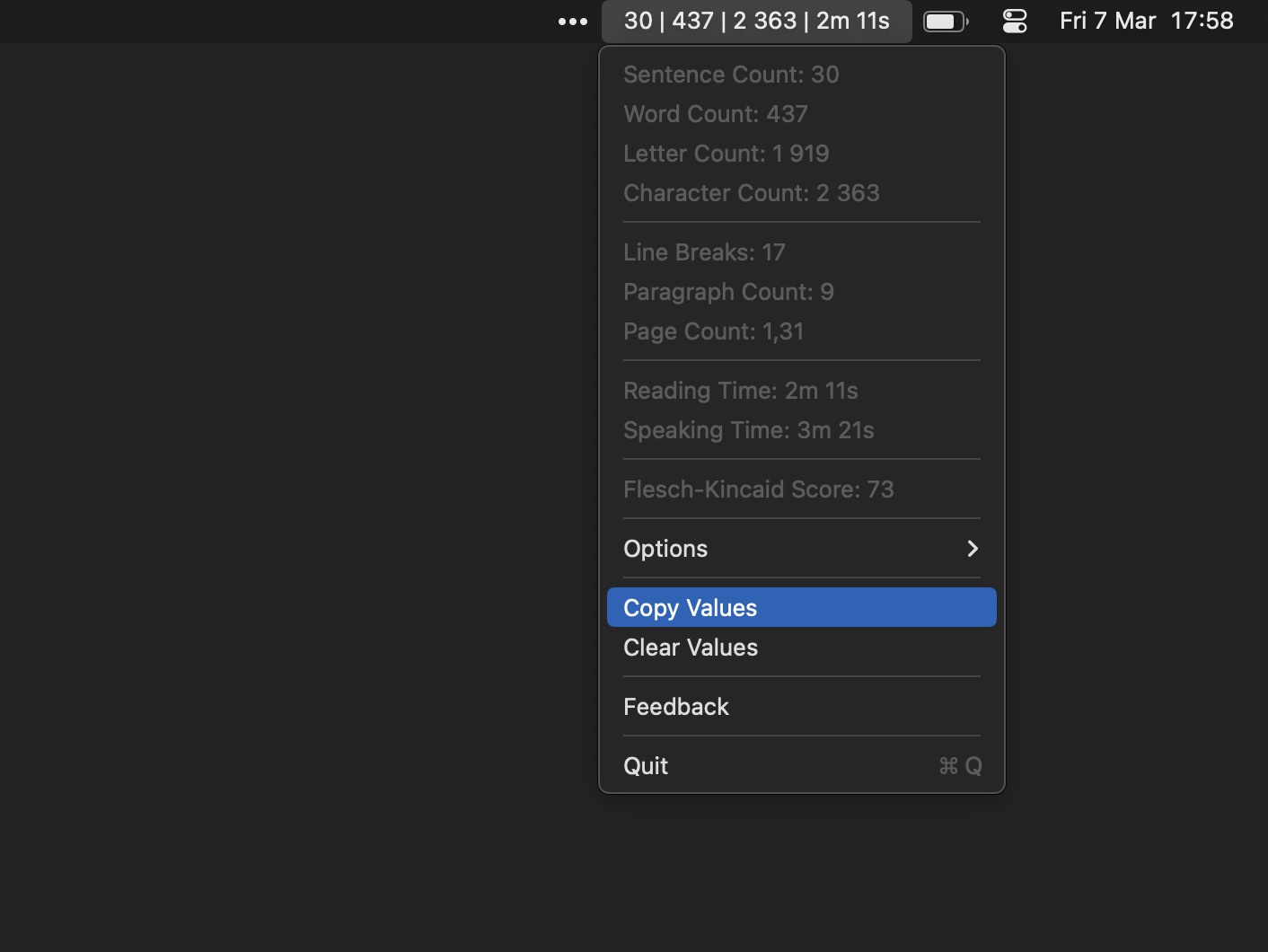
- Instant Counts: Real-time word, character (with/without spaces), and sentence counts.
- Always accessible from your Mac’s menu bar, never in the way.
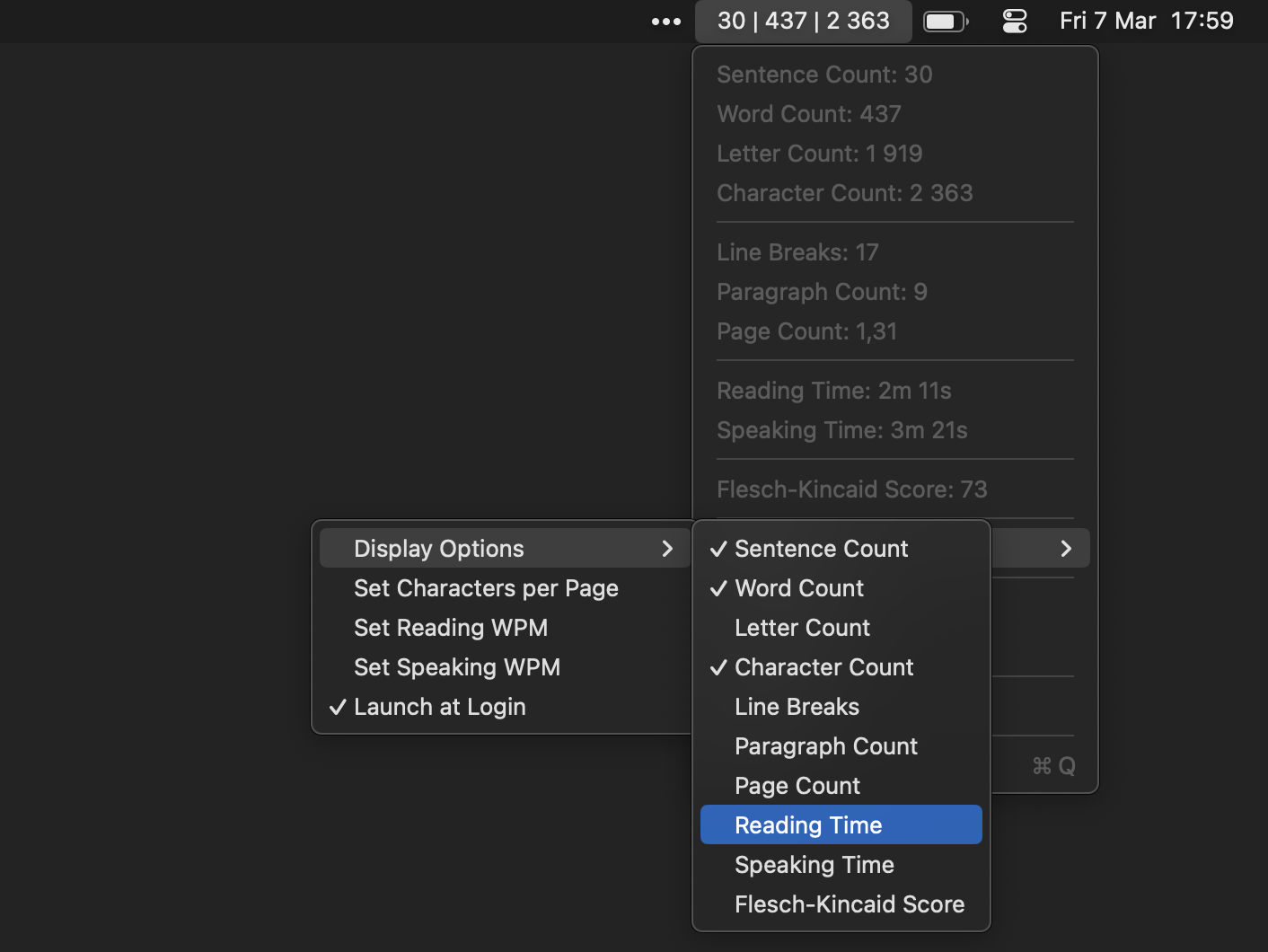
- Advanced Analytics (Pro Version): Paragraph, line, and page counts, reading & speaking time estimates, Flesch-Kincaid readability scores, customizable menu bar display, and one-click export.
No More Black Bars
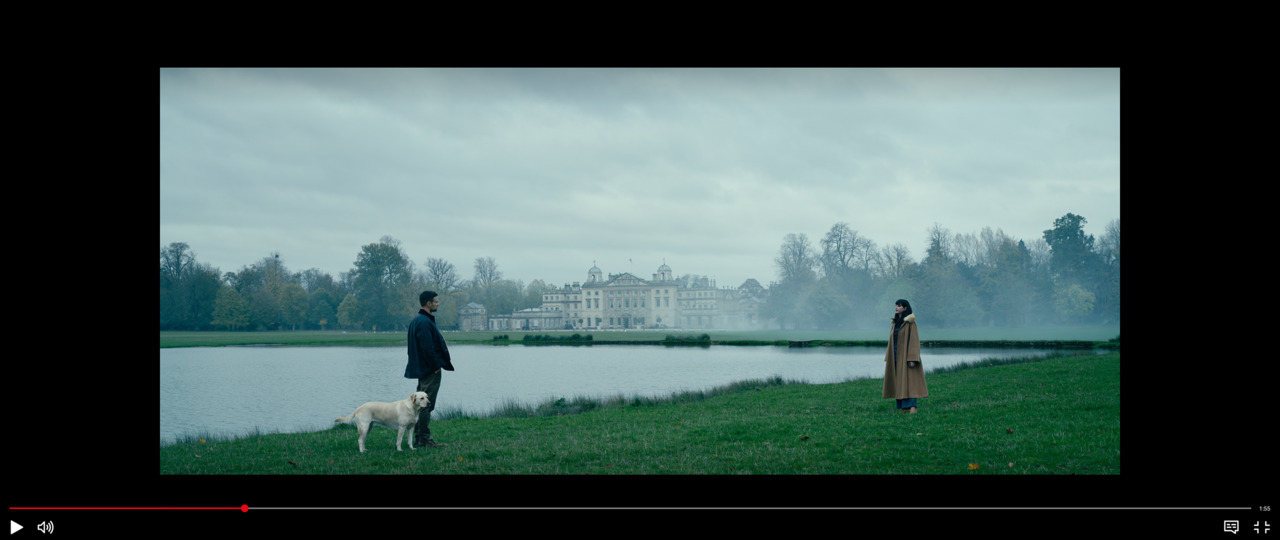
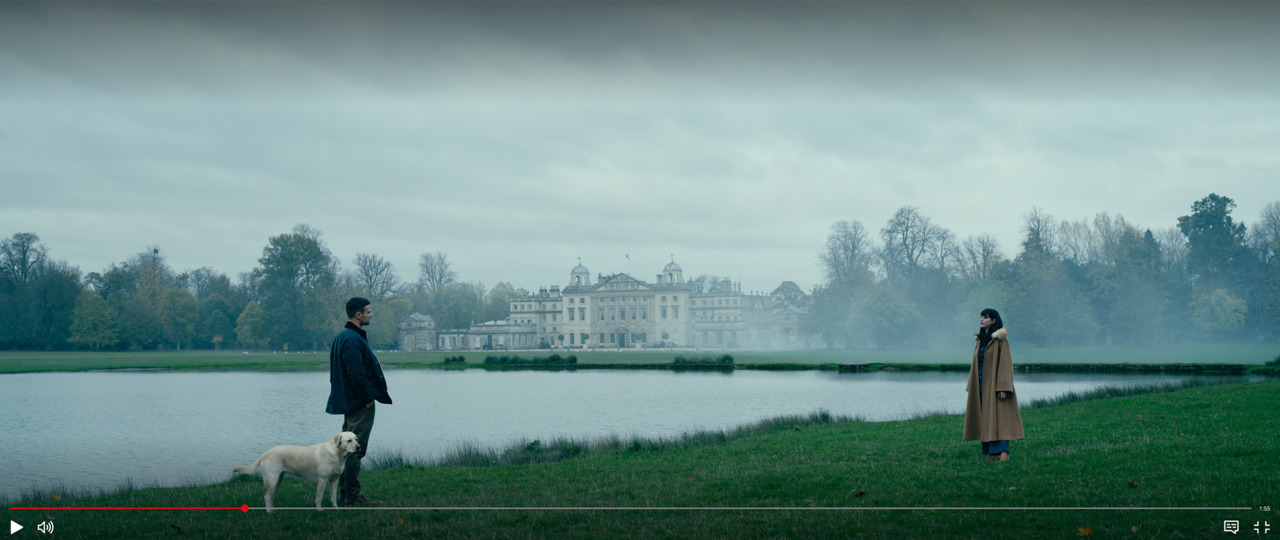
A simple macOS utility to remove black bars (letterboxing/pillarboxing) from videos. Perfect for ultrawide monitors.
Icon

Screenshots
Demo Video
Key Features
- Eliminates letterboxing (horizontal) and pillarboxing (vertical) black bars.
- Ideal for ultrawide (21:9, 32:9) and other non-standard displays.
- Simple control to easily toggle on or off.